

Table of Contents
- Does Walking While Working Actually Improve Focus?
- How Walking Enhances Cognitive Performance and Blood Flow
- How Long Should You Walk at a Desk for Maximum Benefit?
- Benefits of Under Desk Treadmills for Focus and Productivity
- How to Increase Daily Step Count Without Disrupting Work
- Common Challenges and How to Overcome Them
- Making Walking While Working a Sustainable Habit
Last Updated: August 26, 2026
Does Walking While Working Actually Improve Focus?
Walking while working can improve focus for many people, though the effect depends on task type, setup, and individual physiology. Research shows that moderate movement enhances cognitive performance and blood flow during desk work, but typing speed and fine motor tasks may initially suffer. The real opportunity lies in understanding when walking helps and when it creates friction.
At Wild Bloom, we provide compact treadmills for remote professionals to integrate walking into their workday. Walking while working improves focus best when you match the activity to your task and set up your workspace intentionally. A quick email response? Walking sharpens mental clarity. A complex spreadsheet requiring precision typing? That's where most people hit friction.
This guide breaks down the science, addresses real obstacles, and shows you how to build a sustainable habit that actually sticks.
How Walking Enhances Cognitive Performance and Blood Flow
Walking increases oxygen delivery to the brain, supporting cognitive processing speed and working memory (peer-reviewed research). When you move, your cardiovascular system pumps oxygenated blood to your prefrontal cortex, the region responsible for attention, reasoning, and impulse control. This happens within minutes of starting a walk.
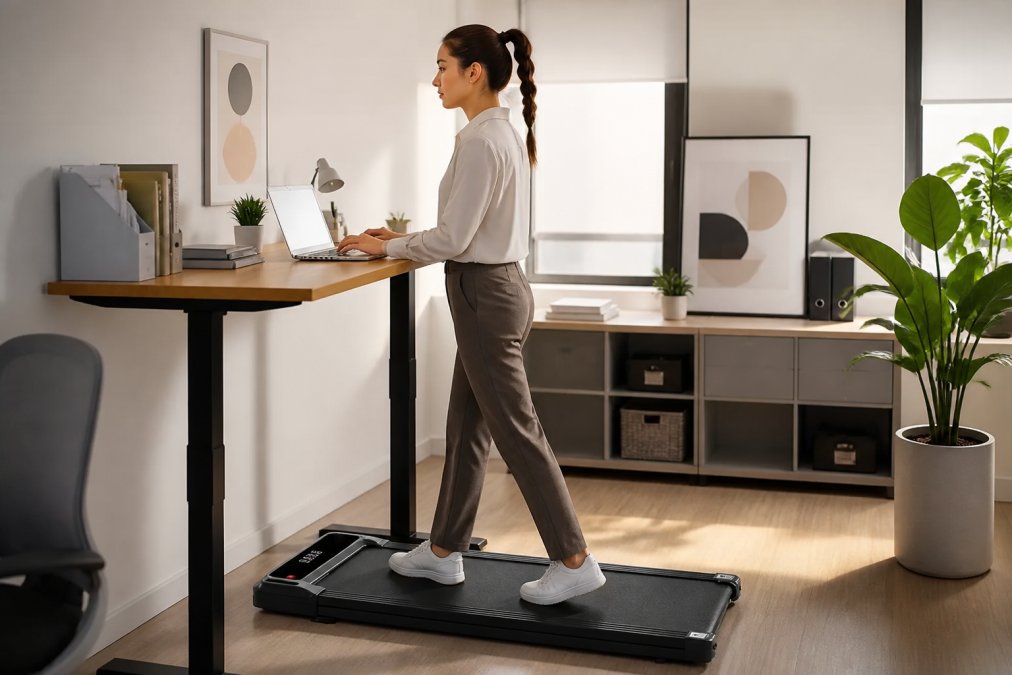
Physical activity also stimulates neuroplasticity, the brain's ability to form new neural connections. Regular movement supports sustained attention and reduces cognitive load when switching between tasks. Many professionals report sharper mental clarity during and immediately after walking sessions, particularly during analytical or creative work.
Sedentary behavior restricts blood flow and allows metabolic waste to accumulate in muscles and tissues. Walking clears that waste, reduces inflammation, and restores the metabolic rate to support sustained focus. This is why a 10-minute walk often feels more restorative than sitting still for 20 minutes.
However, the benefit isn't universal across all cognitive tasks. High-precision work, detailed coding, financial analysis, or technical writing may require stillness initially. Your brain needs stability to execute fine motor tasks. For conceptual thinking, brainstorming, and knowledge work that doesn't require pixel-perfect accuracy, walking enhances both attention span and reasoning.
How Long Should You Walk at a Desk for Maximum Benefit?
Research on active workstations shows that 20-40 minute sessions deliver measurable focus improvements for most professionals (peer-reviewed research). Duration depends on task type, fitness level, and cognitive load.
Duration by Task Type
- Low-cognitive-load tasks (email, administrative work, data entry, reading): 20-40 minutes at 1-2 mph.
- Moderate-cognitive-load tasks (research, brainstorming, content planning, virtual meetings): 15-25 minutes at 1-1.5 mph.
- High-cognitive-load tasks (detailed coding, financial analysis, technical writing): 5-10 minute walking breaks between 45-60 minute sitting blocks.
Walking during mismatched tasks reduces both work quality and the cognitive benefits of walking itself.
Walking Speed and Cognitive Performance
Most professionals assume faster walking delivers greater benefit, but research shows 1-2 mph is optimal for cognitive work: (peer-reviewed research)
- 1-1.5 mph (slow walking): Maximizes focus and typing accuracy. Most professionals adapt within 3-5 days.
- 1.5-2 mph (moderate walking): Increases cardiovascular benefit while maintaining reasonable work quality. Typing speed typically returns to baseline within 1-2 weeks.
- 2+ mph (brisk walking): Diverts significant cognitive resources to balance and coordination, creating friction rather than focus.
Start at 1 mph for your first week, increase to 1.5 mph in week two, and move to 2 mph only if work quality remains stable.
Consistency Over Duration
Three 20-minute sessions per week generates more measurable cognitive improvement than one 60-minute session. Your nervous system adapts to regular, moderate movement better than sporadic, intense movement. Professionals who attempt 60+ minute daily sessions often experience cumulative leg fatigue, reduced motivation after 2-3 weeks, and decreased focus during final sessions.
Timing Protocols for Maximum Cognitive Benefit
- Morning sessions (first 2 hours of work): Activates your parasympathetic nervous system and primes your prefrontal cortex for focus. A 20-minute morning walk often improves focus for 4-6 hours.
- Post-lunch sessions (1-3 PM): Counteracts the post-lunch energy dip. A 15-minute walk can restore focus without caffeine.
- Between deep-work blocks: A 5-10 minute walk acts as a cognitive reset, clearing mental fatigue and restoring working memory.
- Late-day sessions (after 5 PM): Helps process stress and emotional load from the workday, supporting sleep quality. Avoid walking within 2 hours of bedtime.
Adjustment Protocol for Sustainable Habit Formation
Most professionals experience a temporary dip in work quality during weeks 1-2:
- Week 1: Start with 10-15 minute sessions during low-cognitive-load tasks only. Expect typing speed to drop 10-20%.
- Week 2: Increase to 15-20 minute sessions. Typing speed typically returns to 90-95% of baseline.
- Week 3+: Full adaptation occurs. Typing speed returns to baseline, and cognitive focus often exceeds pre-walking levels.
If you experience persistent fatigue or reduced work quality beyond week 2, reduce duration by 5 minutes and extend your adaptation timeline to 3-4 weeks. Individual physiology varies; listen to your body and prioritize consistency over intensity.
Benefits of Under Desk Treadmills for Focus and Productivity
A dedicated under-desk treadmill removes friction from the decision to walk. Unlike a traditional treadmill, an under-desk model sits directly beneath your workspace, making movement a natural extension of your workday.

The practical benefits align directly with focus improvement:
- Continuous oxygen delivery: Walking maintains steady blood flow to your brain throughout the day
- No context switching: You don't need to leave your desk or lose momentum
- Reduced sedentary time: Even slow walking breaks up the physiological stress of prolonged sitting
- Mental health support: Regular movement reduces anxiety and supports emotional regulation
- Sustainable habit formation: Convenience means you're more likely to actually use it
Wild Bloom's portable under desk treadmill is designed specifically for professionals who need to maintain focus without disruption. The quiet motor operates below 45 dB, quieter than most office conversations, so you won't disturb video calls or colleagues. The foldable design fits apartments and small home offices, and the no-assembly setup means you're walking within minutes of unboxing.
Once you adjust to the movement (typically 1-2 weeks), typing speed stabilizes and cognitive focus improves. The initial dip in typing accuracy is temporary and worth the long-term gain in mental clarity.
How to Increase Daily Step Count Without Disrupting Work
Increasing your daily step count while maintaining work focus requires intentional setup and realistic expectations. Most remote workers sit 8-10 hours per day, so adding 5,000-7,000 steps through desk walking is achievable.
Start with these practical steps:
-
Set a baseline: Track your current daily steps for one week to identify a realistic target (typically adding 3,000-5,000 steps is sustainable for desk workers).
-
Choose low-intensity tasks for walking: Respond to emails, attend virtual meetings, or do research while walking. Save high-precision work for sitting.
-
Use time blocks: Walk for 20 minutes every two hours, or schedule walking sessions around your calendar.
-
Adjust desk height and keyboard placement: Your keyboard should sit at elbow height whether sitting or walking. A slight forward tilt of your monitor reduces neck strain.
-
Start slow: Begin at 1-2 mph and increase speed only after your body adapts (usually 2-3 weeks).
-
Track progress: Use a step counter or smartwatch to monitor daily totals and identify which work types pair best with walking.
The biggest mistake is trying to walk fast while working. Slow, steady walking maintains focus better than brisk walking, which diverts cognitive resources to balance and coordination.
Common Challenges and How to Overcome Them
Most professionals encounter real obstacles when integrating walking into their workday. The most underaddressed challenge is ergonomic setup, poor positioning creates discomfort and cognitive friction that kills the habit faster than any other factor.
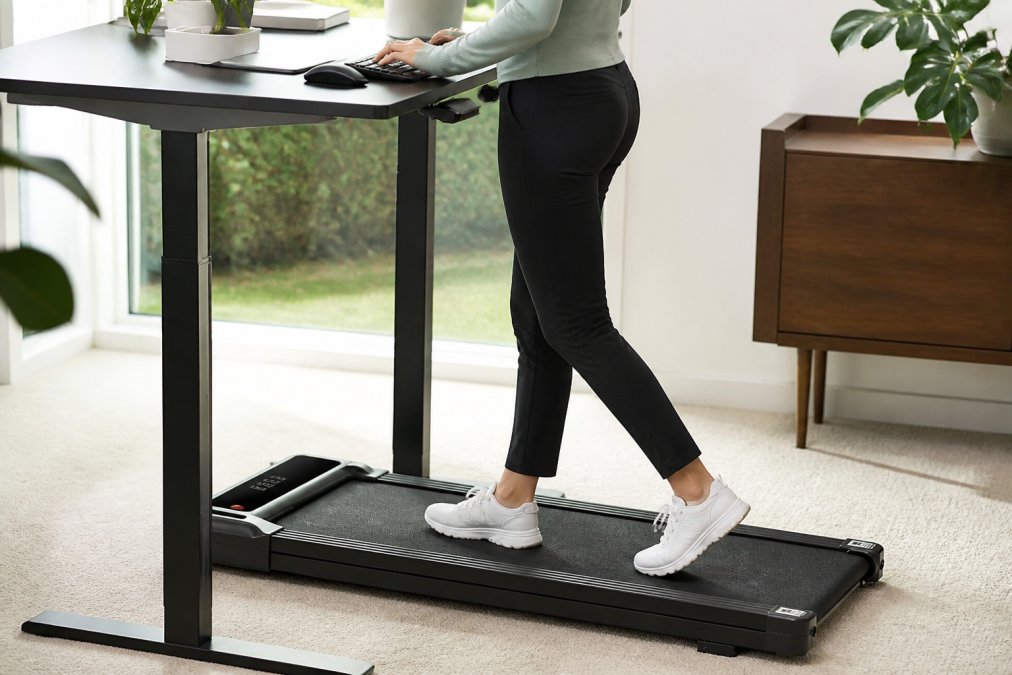
Ergonomic Setup for Sustained Focus
Incorrect desk height, monitor position, and keyboard placement are the primary reasons professionals abandon treadmill desks within 2-4 weeks.
Keyboard and desk height: Your keyboard should sit at elbow height whether sitting or walking. When walking, your posture naturally shifts forward slightly, so your keyboard needs to be 1-2 inches lower than your seated position to prevent wrist extension and shoulder strain. If your desk is fixed, use a keyboard tray that adjusts independently.
Monitor positioning: Your monitor should sit at eye level when standing, with the top of the screen at or slightly below your eye line. A monitor that's too high forces you to look up, creating neck strain within 10-15 minutes. A monitor that's too low encourages forward head posture, which compounds balance challenges. If you use a laptop, invest in a monitor arm or stand that allows independent height adjustment.
Posture alignment: Walking while working requires a slight forward lean (5-10 degrees) to maintain balance. Your shoulders should remain relaxed, not hunched. If you find yourself tensing your shoulders or leaning heavily on the desk, your walking speed is too fast or your setup is misaligned. Reduce speed to 1 mph and reassess.
Typing Accuracy and Speed Drops Initially
This is normal and temporary. Your brain is dividing attention between movement and fine motor control. Start with tasks that don't require precision typing (emails, research, meetings). Return to detailed work once your body adapts (typically 1-2 weeks). Most people see a 10-20% drop in week 1, return to baseline by week 2, and exceed baseline by week 3 due to improved cognitive clarity.
Microphone Pickup of Motor Noise During Video Calls A treadmill motor below 45 dB is quieter than ambient office noise, but some microphones are sensitive. Position your microphone away from the treadmill, use a noise-canceling headset, or schedule calls during your sitting blocks. Many professionals find that walking during async work and sitting for synchronous calls eliminates this entirely.
Space Constraints in Small Apartments A foldable design solves this. Measure your available storage before purchasing. A portable under-desk treadmill should fold to dimensions no larger than 30 inches wide, 20 inches deep, and 6 inches tall when stored.
Difficulty Maintaining the Habit Most people stop walking after 2-4 weeks if they don't see immediate results or if the setup feels inconvenient. Anchor walking to an existing habit (walk during your morning coffee, walk during team meetings). Make it automatic, not a decision. Set a calendar reminder for your first two weeks; by week three, the habit typically becomes automatic.
Commit to 15-20 minutes three times per week rather than 60 minutes daily. Once this habit sticks (typically 3-4 weeks), you can increase frequency naturally without burnout.
Concern About Disturbing Neighbors or Housemates A motor below 45 dB is comparable to a quiet conversation. Test the volume during off-peak hours. Placing a rubber mat under the treadmill further reduces vibration transmission.
Worry About Losing Balance or Making Mistakes While Walking Slow walking at 1-2 mph is stable. Your body quickly adapts within days. Start with simple tasks (emails, reading) to build confidence. Most professionals feel fully stable and confident by day 5-7.
Reduced Work Quality During Transition If work quality drops significantly beyond week 2, assess three factors: (1) walking speed, reduce to 1 mph, (2) task type, switch to lower-cognitive-load work, and (3) ergonomic setup, verify keyboard height, monitor position, and posture alignment. Fixing these factors typically restores work quality within 2-3 days.
Making Walking While Working a Sustainable Habit
The difference between equipment that works and equipment that collects dust is habit design. Walking while working improves focus only if you actually do it consistently.
Start small. Commit to 15-20 minutes three times per week rather than 60 minutes daily. Once the habit sticks, you can increase frequency naturally.
Pair walking with tasks you already do. Walk during email triage, virtual meetings, research, or content consumption. This removes the friction of deciding when to walk.
Track what works. After two weeks, notice which tasks feel natural while walking and which don't. Customize your approach based on your actual workflow.
Expect a two-week adjustment period. Your body needs time to adapt to moving while working. By week three, most people feel comfortable and start noticing cognitive benefits.
Invest in proper setup. A desk at the right height, a keyboard positioned correctly, and a monitor at eye level reduce strain and make walking feel natural.
Consider your environment. If you work in a loud, open office, walking may not be feasible during focus time. Match the tool to your actual work environment.
Walking while working can genuinely improve focus when you match the activity to your tasks and set up your space intentionally. The cognitive benefits, enhanced blood flow, improved working memory, reduced anxiety, are real, but they only materialize if you actually use the equipment consistently.
Wild Bloom's portable under desk treadmill removes the friction of getting started. The no-assembly design, quiet motor below 45 dB, and foldable form factor mean you can integrate movement into your workday without disruption or space sacrifice. Start with 15-20 minute sessions during your easiest tasks, adjust your setup for comfort, and let the habit build naturally. Within a few weeks, walking while working becomes automatic, and your focus will follow.
Frequently Asked Questions
Q: Does walking while working actually improve focus and cognitive performance?
A: Yes. Walking while working increases blood flow and oxygen delivery to the brain, which enhances cognitive processing speed, working memory, and attention span. Physical activity triggers neuroplasticity, the brain's ability to form new neural connections, improving focus during tasks. However, the effect depends on task type: routine work benefits more than complex problem-solving that requires sustained concentration. Most people report improved focus after an adjustment period.
Q: How long should you walk at a desk to see focus improvements?
A: Start with 15-30 minute intervals, alternating between sitting and walking. Research suggests that light physical activity throughout the day, rather than one long session, provides the most consistent cognitive benefits. For desk work specifically, breaking up every 45-60 minutes of sitting with 10-15 minutes of walking maintains mental clarity and prevents afternoon cognitive fatigue. Consistency matters more than duration; daily movement beats sporadic intense sessions.
Q: What are the main benefits of under desk treadmills for work productivity?
A: Under desk treadmills combat sedentary behavior while you work, increasing daily step count without leaving your desk. They reduce mental fatigue, improve anxiety regulation, and support better impulse control, all critical for sustained focus. The quiet, low-impact design (like Wild Bloom's under 45 dB motor) allows uninterrupted work on video calls and collaborative tasks. Users report improved stamina, better concentration during routine tasks, and reduced afternoon energy crashes.
Q: How can I increase my daily step count while maintaining work quality?
A: Use a walking pad during low-cognitive tasks: email, administrative work, and routine documentation. Reserve sitting for high-focus work requiring precision or complex reasoning. Set a target of 5,000-7,000 additional steps daily through desk walking, achievable in 60-90 minutes spread across your workday. Start slowly to let your body and typing accuracy adjust. A foldable, no-assembly treadmill like Wild Bloom's [portable model](https://getwildbloom.org/products/portable-under-desk-treadmill-walking-pad) ($149.99) makes this sustainable by eliminating setup friction and fitting easily into small spaces.
This article was written using GrandRanker